
Home phone and broadband: the digital switchover, and are you paying too much?
Home phones are moving to digital lines by January 2027. Here's what that means for you, whether you still need a landline, and how to cut your broadband bill.
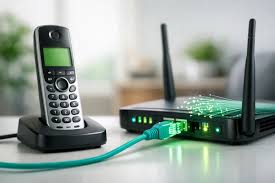
Home phones are changing, and broadband prices are always worth checking. This article explains the digital switchover, whether you still need a landline, and how to make sure you're not paying too much.
Your landline is going digital
By 31 January 2027, every home phone in the UK is moving from the old copper telephone network to a digital service that runs over broadband. Instead of plugging into the wall socket, your phone plugs into your router or a small adapter.
- Your provider will contact you. In most cases the change is free and you keep your phone number.
- In a power cut, a digital home phone stops working unless it has a battery backup. Keep a mobile phone charged. If you rely on your landline – for example, if you have no mobile or no mobile signal at home – tell your provider. They must offer you a free way to call 999 for at least an hour during a power cut.
- Telecare and personal alarms (such as pendant alarms) and some burglar alarms may be affected. Tell both your phone provider and your alarm provider that you have one, well before your switchover date.
- Watch out for scams. Your genuine provider won't charge you for the switchover. If a cold caller says you must pay to "upgrade" your line, hang up.
Do you still need a landline?
These days a landline is really a service that runs over your broadband. Keeping a home phone number usually adds £10 a month or more to your bill.
If you have a mobile phone with unlimited UK calls – which you can get for around £6–£8 a month (see our article Mobile phone costs) – you might not need a landline at all. Many providers sell broadband only.
Before you give up your landline, think about:
- Is your mobile signal good at home? (Wi-Fi Calling can help.)
- Do you have a telecare or personal alarm that uses the phone line?
- Do friends and family rely on your landline number?
Are you paying too much for broadband?
If you've been with the same provider for years and you're out of contract, you're almost certainly paying more than new customers. Your provider must now tell you when your contract is ending and what their best deals are.
Ask yourself:
- What am I paying for? Line rental, broadband, a call package, TV?
- What speed do I need? For one or two people, an entry-level fibre package is usually plenty. See our article Checking your internet speed.
- Am I on benefits? Most providers offer cheap social tariffs for people on Universal Credit, Pension Credit and some other benefits.
Since January 2025, any price rises must be shown in your contract in pounds and pence.
Haggle first
Ring your provider when your contract is ending and tell them you're thinking of leaving. Ask what they can offer. They'll often find a better price to keep you.
Switching is now easier
Since September 2024, you only need to contact your new provider – they'll arrange everything, even if they use a different network (for example, moving from Virgin Media to BT, or the other way round). This is called One Touch Switch.
- Compare deals on a website such as www.moneysavingexpert.com (opens in a new tab), www.uswitch.com (opens in a new tab) or www.comparethemarket.com (opens in a new tab). Different sites show different deals, so check more than one.
- Sign up with your new provider. They'll tell your old provider, move your phone number if you want to keep it, and give you a switch date.
- Your new router arrives before your switch date. On the day, plug it in and reconnect your devices.
- Send your old router back if asked – you'll usually be given a free returns bag.
Two things to check before you switch:
- Do you use an email address from your broadband provider (for example @btinternet.com, @talktalk.net, @virginmedia.com or @sky.com)? Find out what happens to it when you leave – some providers charge to keep it. A free Gmail or Outlook address doesn't depend on who supplies your broadband.
- Do you use a call-blocking service from your current provider? Ask whether your new provider offers something similar.
Need a hand?
Bring a recent bill and we'll help you check what you're paying for. Our friendly volunteers can help at our free sessions:
- Mondays 10am–12noon – St Wilfrid's Church Hall, Burgess Hill
- Thursdays 10am–12noon – Spire Café, St John's Church, Burgess Hill
- Haywards Heath – Bentswood @ No.34, America Lane (by appointment)
Call 07349 916841 or email spire.computer.help@gmail.com. No question is too small.
The Spire Computer Help Team
More hints and tips on this topic
Explanations of the words you might meet, in our glossary: Money & Payments, Wi-Fi & Connectivity.