Paying for parking by phone
More car parks are going cashless. You don't need a smartphone to pay by phone – here's how it works, with details for Mid Sussex car parks and the scams to avoid.
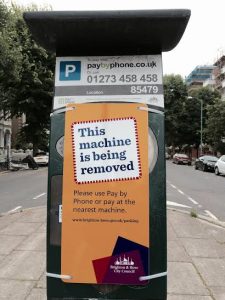
More and more car parks are moving away from cash. If paying by phone sounds daunting, don't worry – there are several ways to do it, and you don't need a smartphone.
Ways to pay
- By card at the machine. Many machines take debit and credit cards, including contactless. There's usually no extra charge.
- With an app on a smartphone.
- By phone call to an automated line – this works from any mobile.
- By text message.
Paying by app, phone or text usually adds a small convenience charge of around 10p to 20p.
Which app do I need?
Unfortunately there isn't one app that works everywhere. Councils around Sussex mainly use MiPermit, RingGo or PayByPhone. Private car parks, hospitals, railway stations and National Trust sites often have their own. The sign in the car park will tell you which service to use, and give you the location code for that car park.
Mid Sussex car parks
Mid Sussex District Council car parks (including Burgess Hill, Haywards Heath and East Grinstead) use MiPermit:
- App: MiPermit – free from the App Store or Google Play
- Phone: 0345 520 7007
- Text: text PARK and your vehicle registration number to 61600
- Charges: 10p convenience charge, plus 10p for an optional text reminder before your time runs out
(Correct in October 2026 – check the signs in the car park in case anything changes.)
Get set up before you go
It's best to set things up at home, where there's no rush:
- Download the app from the official App Store or Google Play (or use the service's website).
- Register your mobile number, car registration and payment card.
Once you're registered, the service recognises your phone number when you call or text, so you don't have to enter everything each time.
When you park
You'll need:
- the location code from the sign (the app may find it for you if you allow it to use your location)
- how long you want to stay
- sometimes the three-digit security number from the back of your card
A big advantage: if you're held up, you can usually extend your stay from your phone without going back to the car, up to the maximum time allowed.
Car parks with number plate cameras
Some car parks use cameras to record when you arrive and leave. You may pay at a machine, online or through an app afterwards, within a set time. Read the signs carefully.
Watch out for parking scams
- Fake QR codes. Criminals stick QR codes on parking machines and signs that lead to fake payment pages. Use the official app or pay at the machine instead. (See our article on QR codes.)
- Fake parking fine texts. Councils send parking fines by post or leave them on your windscreen – they don't text you a link to pay.
- Only download parking apps from the official App Store or Google Play.
Need a hand?
We're happy to help you download and set up a parking app – bring your phone and bank card. Our friendly volunteers can help at our free sessions:
- Mondays 10am–12noon – St Wilfrid's Church Hall, Burgess Hill
- Thursdays 10am–12noon – Spire Café, St John's Church, Burgess Hill
- Haywards Heath – Bentswood @ No.34, America Lane (by appointment)
Call 07349 916841 or email spire.computer.help@gmail.com. No question is too small.
The Spire Computer Help Team
More hints and tips on this topic
Explanations of the words you might meet, in our glossary: Money & Payments, Phones & Tablets.